Text to PDF Converter – Free Offline Windows Tool (EXE)
2025-11-04
text to pdf
txt to pdf
pdf converter
offline converter
cli app
command line tool
Convert any TXT file into a clean, readable PDF instantly using this lightweight Windows tool. Features include adjustable font size, line spacing, borders, Unicode support, and text alignment. No installation required — just download the EXE and start converting!
Text → PDF Converter
A simple and powerful CLI tool to convert text files into beautiful PDF documents.

Download
Click below to download the latest version of the application.
Download TextToPdf.exe (v1.0)System Requirements
- Windows 7 / 8 / 10 / 11
- No installation needed – portable EXE
- Requires input .txt file
- No internet required
Features
- ✔ Convert any UTF-8 text file into PDF
- ✔ Supports Unicode fonts (Multi-language text)
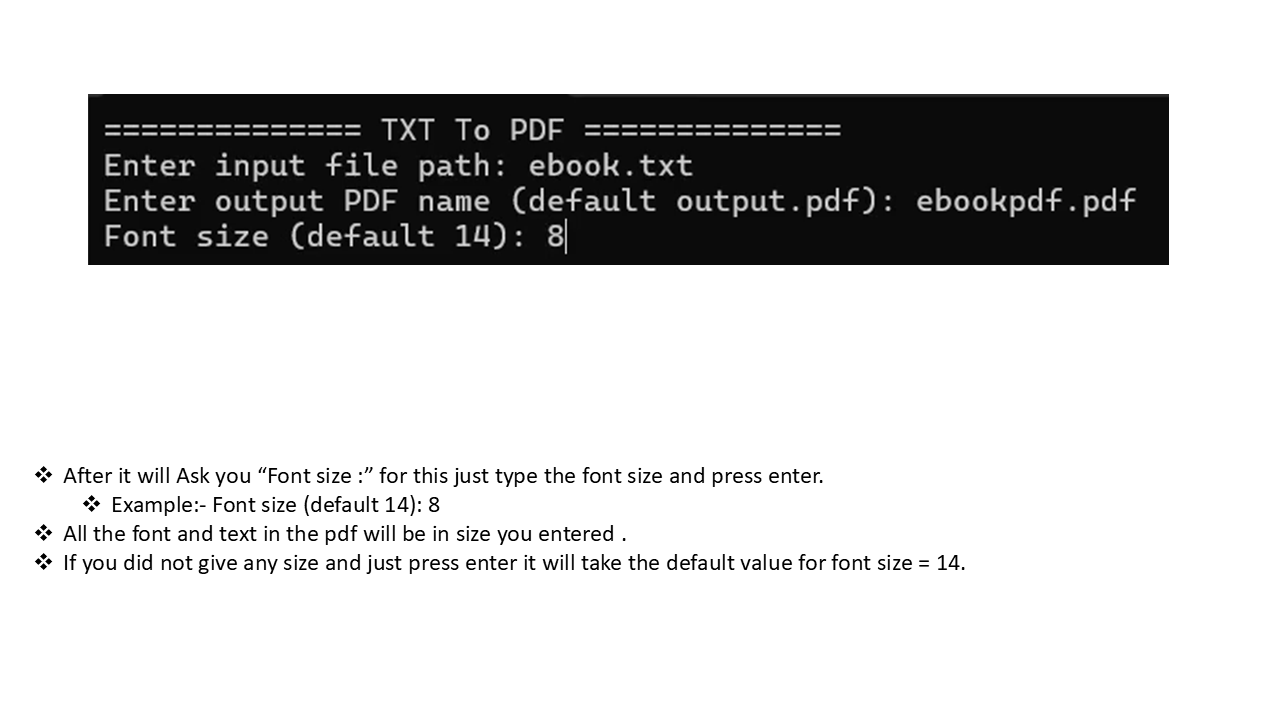
- ✔ Adjustable font size
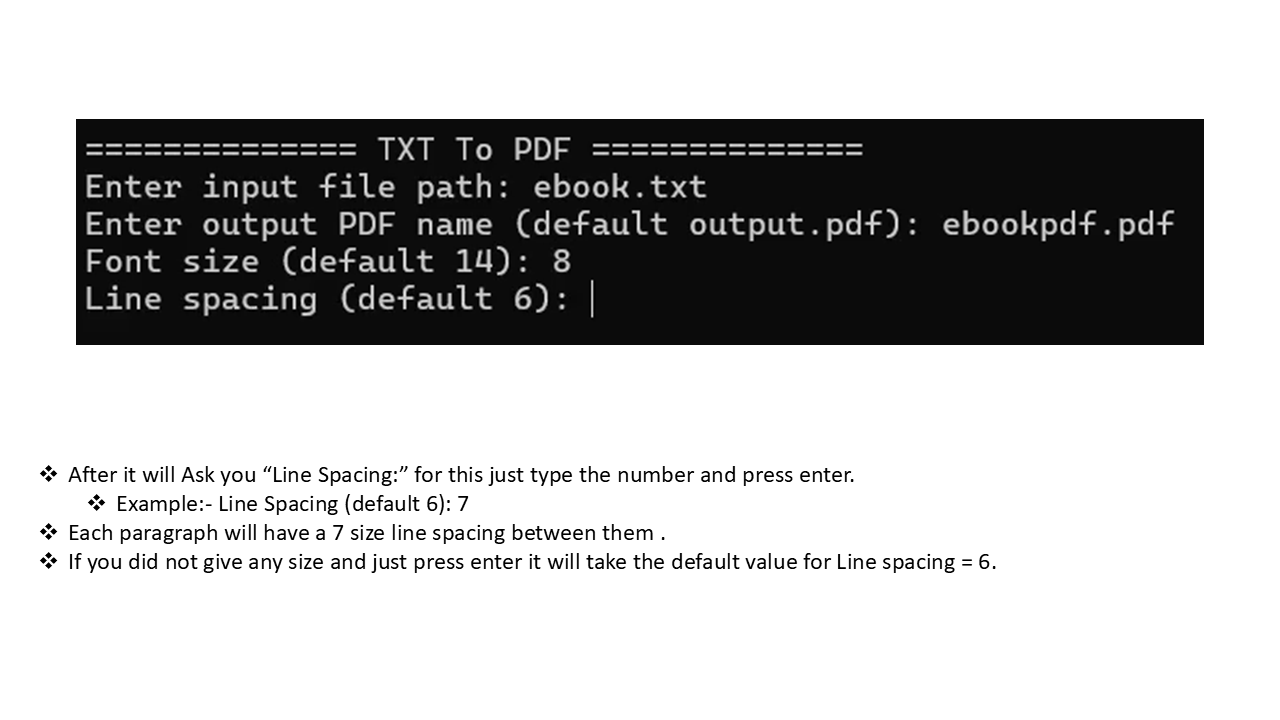
- ✔ Adjustable line spacing
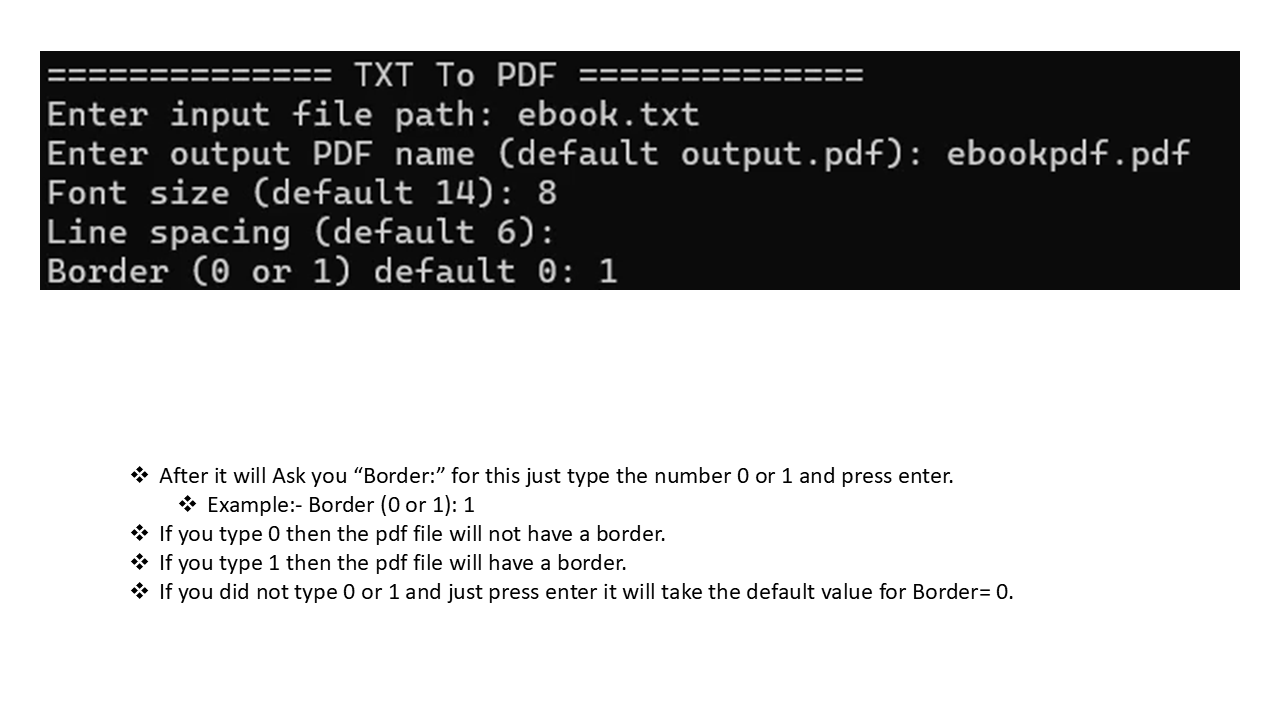
- ✔ Optional border
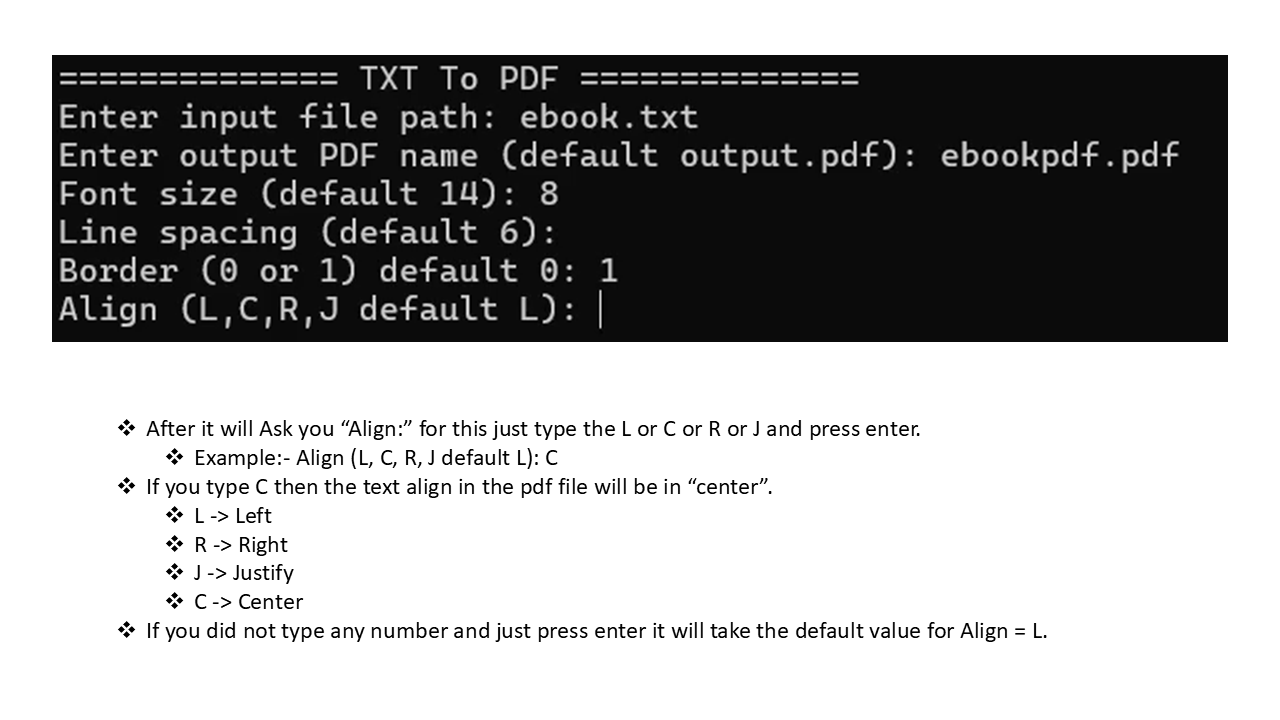
- ✔ Text alignment (L, C, R, J)
How to Use (CLI)
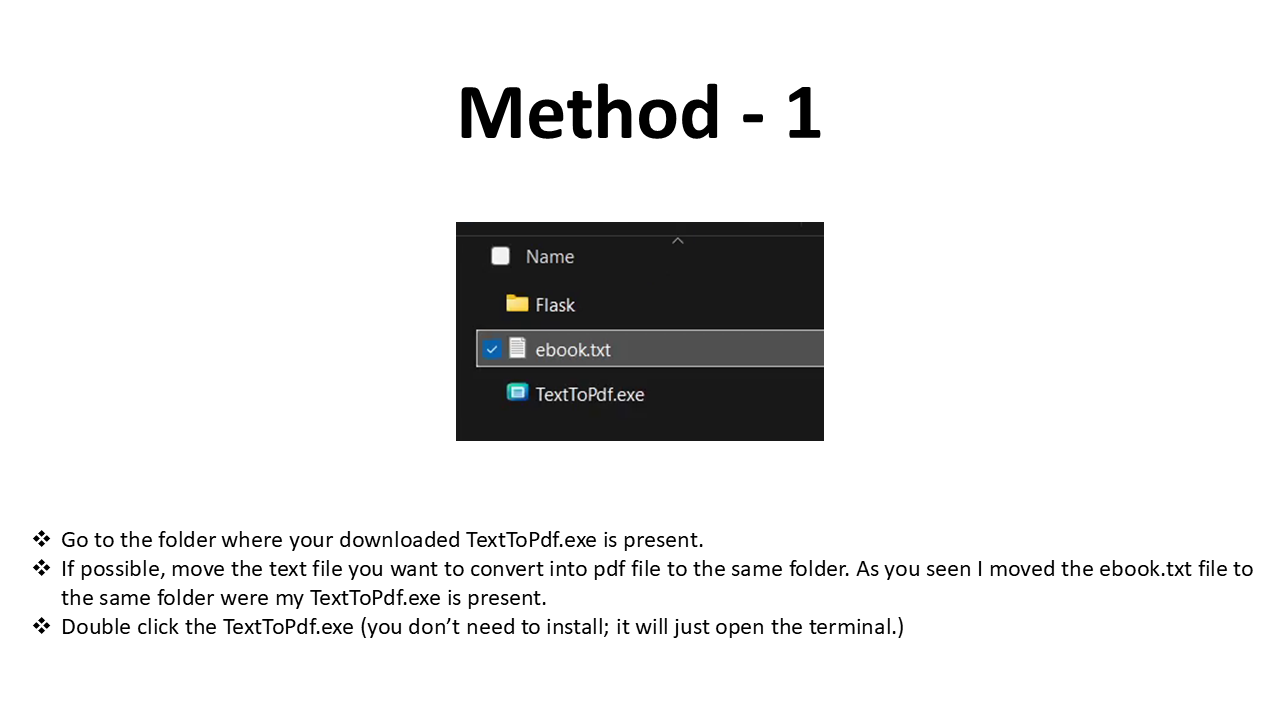
Method - 1
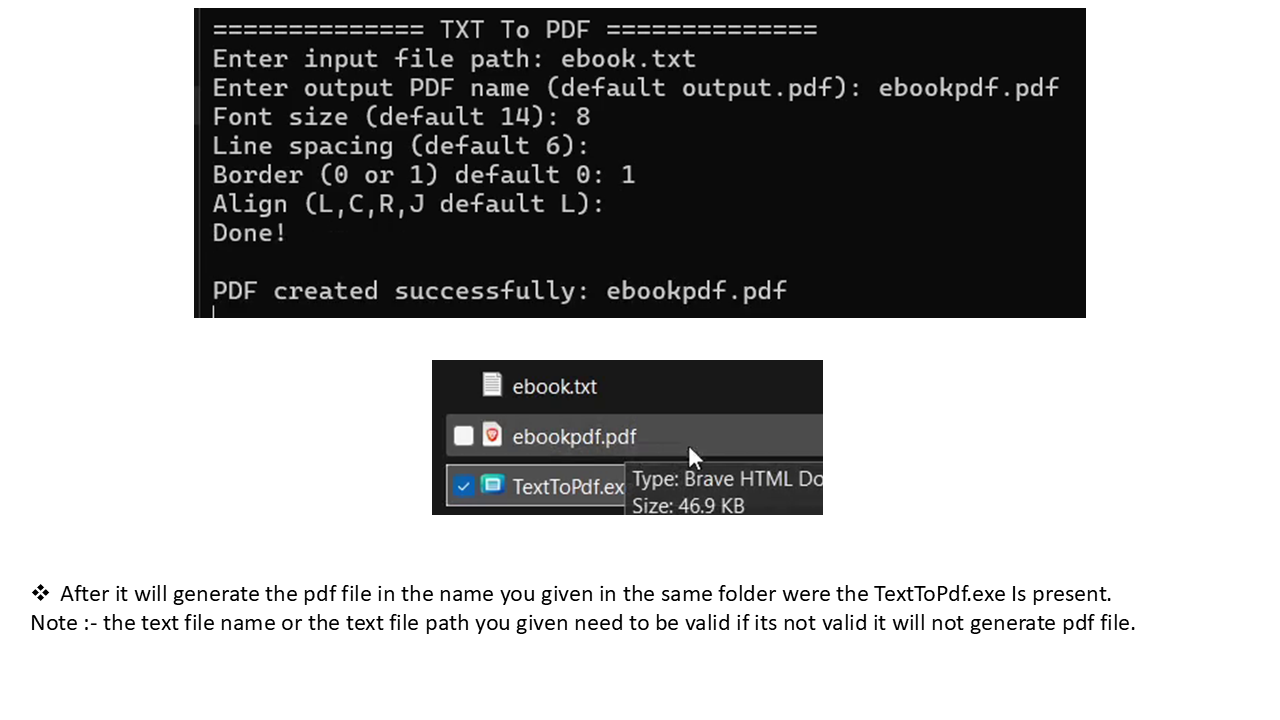
1.Open the TextToPdf.exe by click or double click.
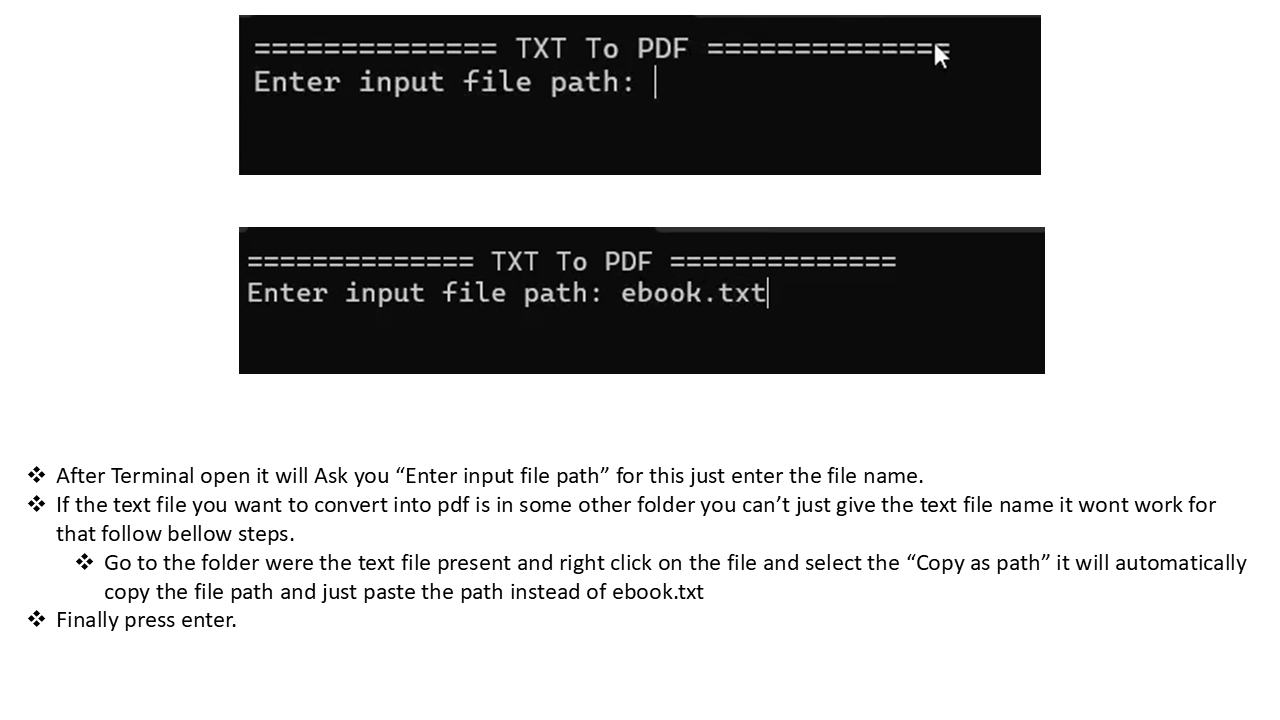
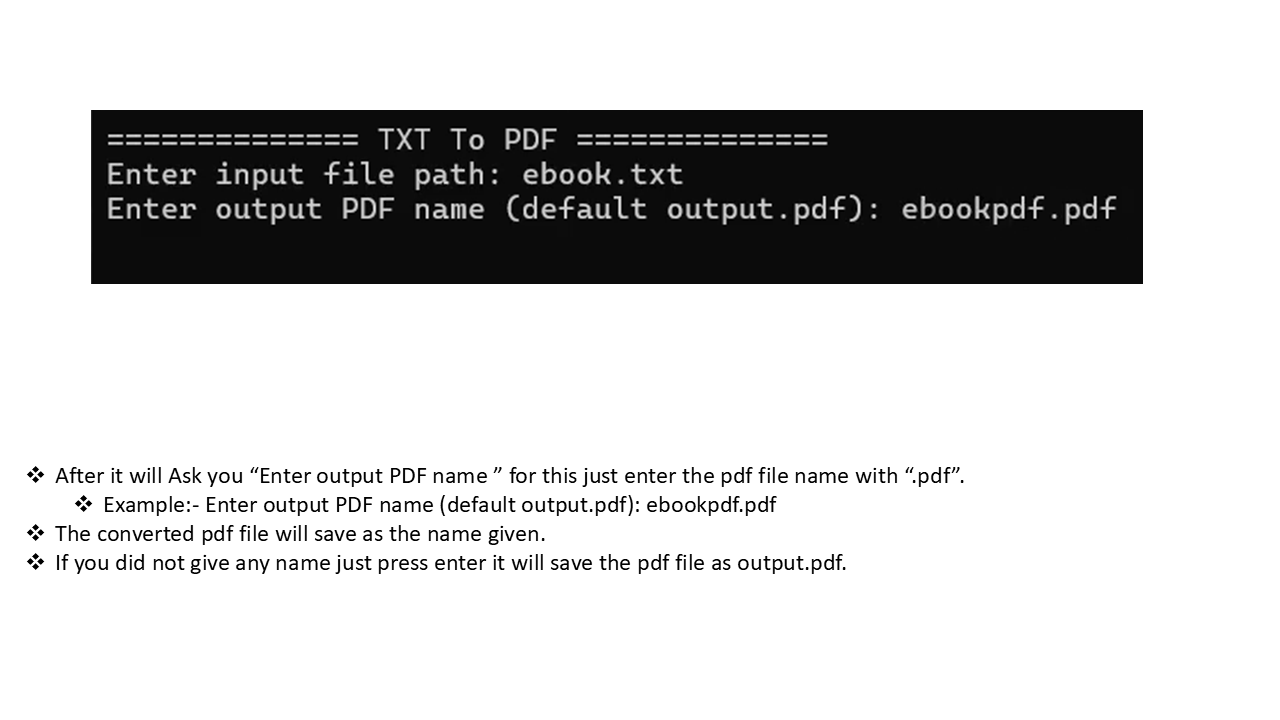
2.Then Terminal will open automatically just enter the details like text file path , output pdf name and etc.
- -For more details Information on how to use the app just check out the below Manual section.
Method - 2
# Basic usage
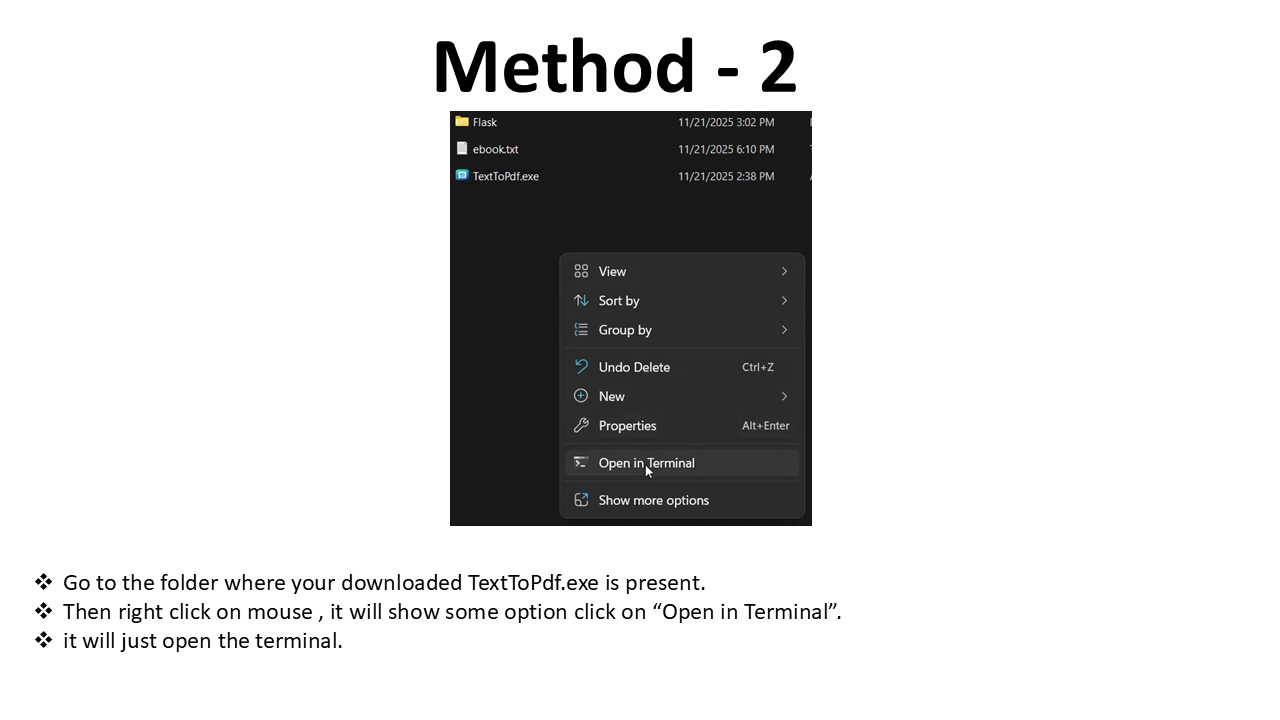
1.Go to the folder were the TextToPdf.exe in present, if possible move the textfile you want to convert into pdf in the same folder.
2.Then press right click on mouse you will see some options select or click the "Open In Terminal."
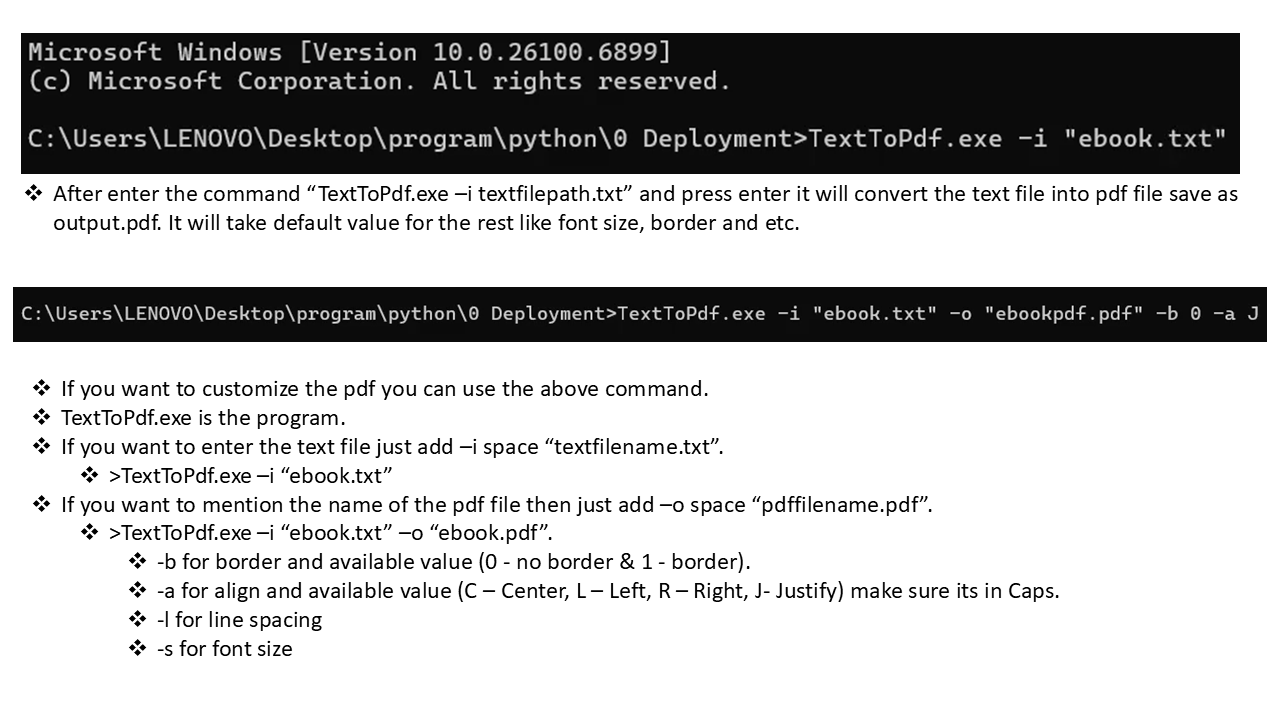
3.In terminal use the below commands
    >TextToPdf.exe -i input.txt -o output.pdf
        (OR)
    # With options
    >TextToPdf.exe -i notes.txt -o notes.pdf -s 16 -l 8 -b 1 -a C
- -i → Input file
- -o → Output PDF
- -s → Font size
- -l → Line spacing
- -b → Border (0/1)
- -a → Align (L/C/R/J)
- -For more details Information on how to use the app just check out the below Manual section.
App Manual
To Download The Manual Pdf click Here.
Verify Application Integrity (SHA256)
Verify your downloaded TextToPdf.exe to ensure it is safe and not modified.
Official SHA256 Hash
Compare this hash with the one generated on your computer.
How to Verify on Windows
1. Open PowerShell
2. Navigate to the folder containing TextToPdf.exe
3. Run:
   Get-FileHash TextToPdf.exe -Algorithm SHA256
4. Match the output with the official hash above.
If both hashes match, the file is authentic.