Calculator Locker – Secure File Encryption & Decryption Tool for Windows
Calculator Locker is a dual-purpose Windows application that looks like a normal calculator but secretly unlocks a secure file locker when the correct password is entered. Inside the locker, users can encrypt and decrypt files such as PDF, DOC, images, and more using a password-based protection system. The tool includes dedicated encryption and decryption pages, password-based protection, and a smooth Windows Forms interface for file security.
Calculator Locker
A secure file encryption & decryption tool hidden inside a calculator interface.

Download
Click below to download Calculator Locker.
Download Calculator Locker (v1.0)System Requirements
- Windows 7 / 8 / 10 / 11
- .NET Framework 4.7+ or higher
- You need to extract the .zip file.
- To install double click the setup.exe.
- Supports PDF, DOC, Images, and all file formats
Features
- ✔ Normal calculator interface
- ✔ Hidden password access to Secret Locker
- ✔ Encrypt any file (PDF, DOC, images, ZIP, etc.)
- ✔ Decrypt previously encrypted files
- ✔ Password-protected encryption
- ✔ Simple and fast Windows Forms UI
How to Use the App
🔹 Startup Page (Calculator Screen)
- Type the correct password in the calculator.
- Press the Equal button to unlock the Secret Locker.
- Until the correct password is typed, it works like a normal calculator.
🔹 Secret Locker Page
- Press Locker to encrypt files.
- Press Unlocker to decrypt encrypted files.
- Press Back to return to calculator.
🔹 Locker (Encrypt) Page
- Select an output folder to save encrypted files.
- Enter the password for encryption.
- Choose the file to encrypt.
- Press Back to return to Secret Locker.
🔹 Unlocker (Decrypt) Page
- Select a folder to save decrypted files.
- Enter the password used during encryption.
- Choose the encrypted file to restore.
- Press Back to return to Secret Locker.
App Manual
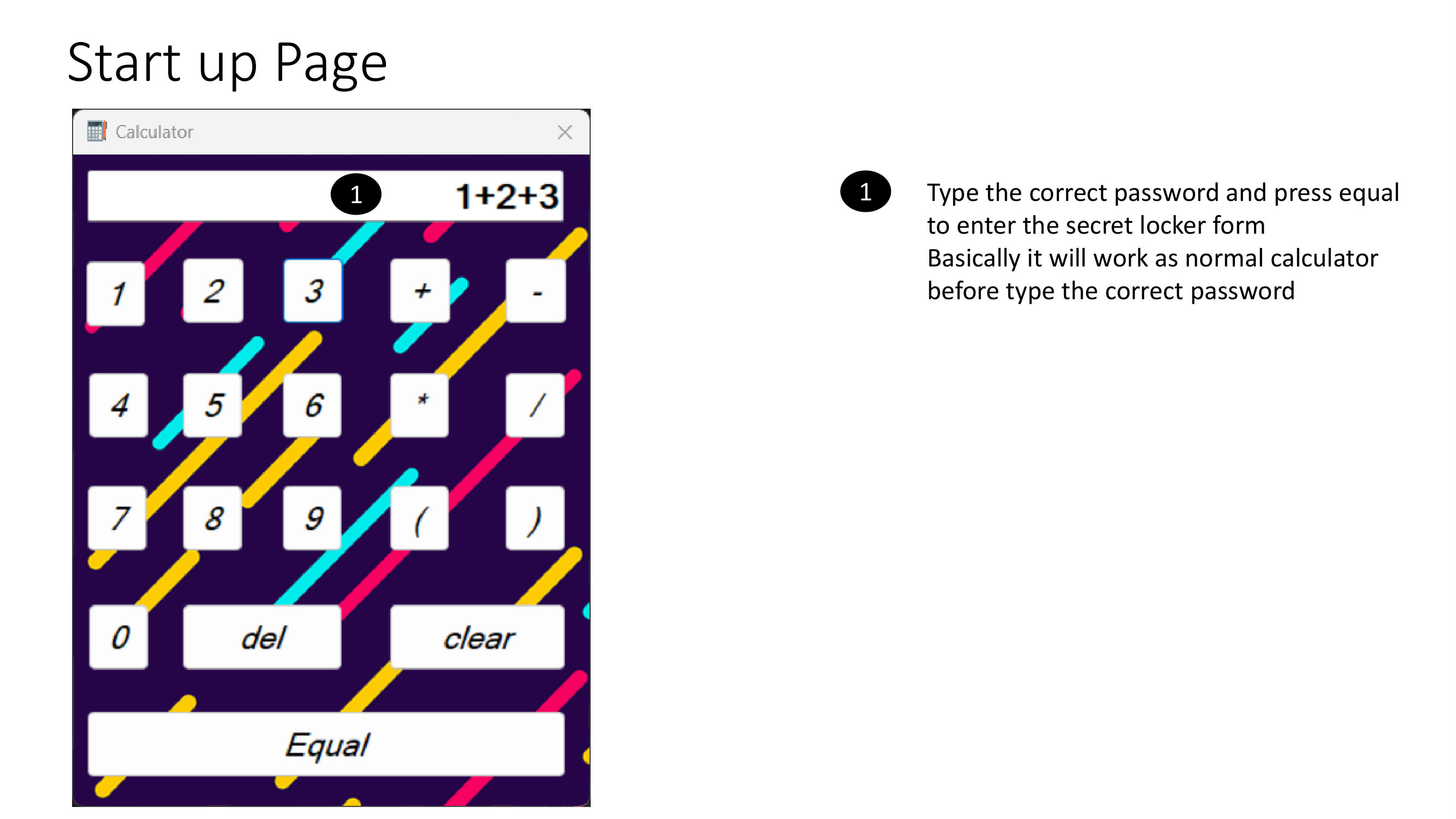
Startup calculator page. Enter the correct password and press 'Equal' to open the Secret Locker.
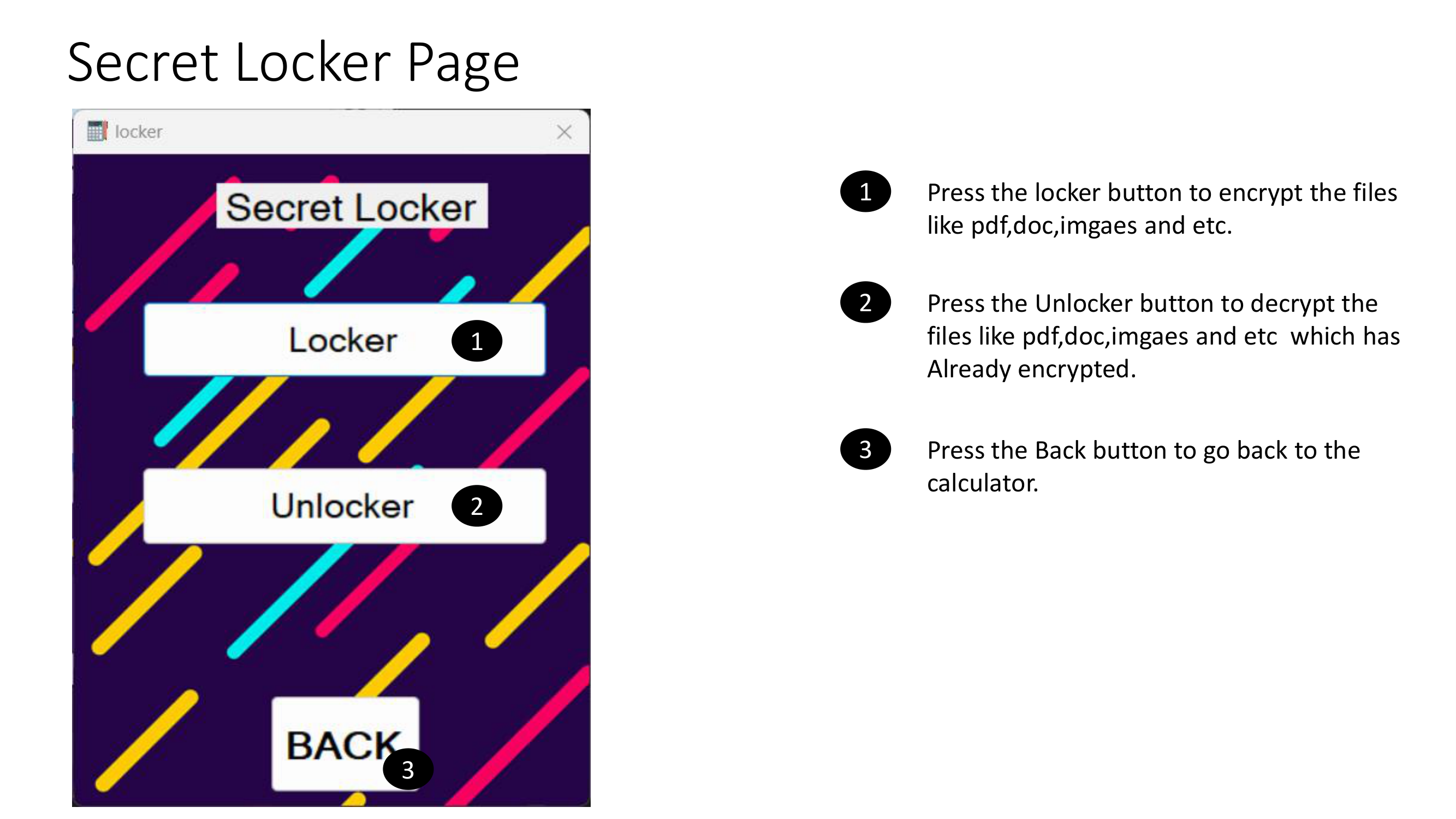
Secret Locker interface where users can choose to Encrypt or Decrypt files securely.
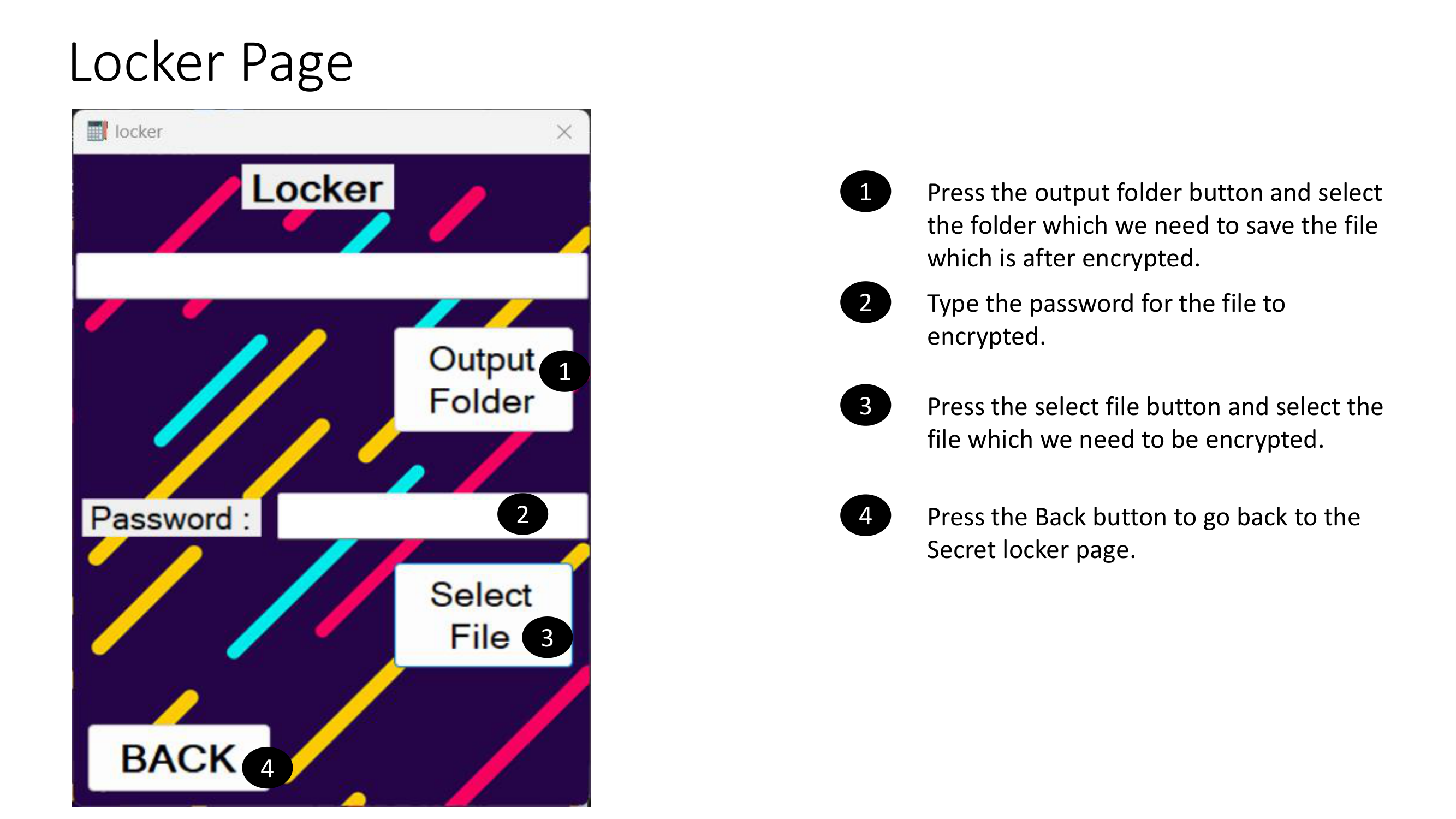
Encryption screen where you select the output folder, enter password, and choose a file to encrypt.
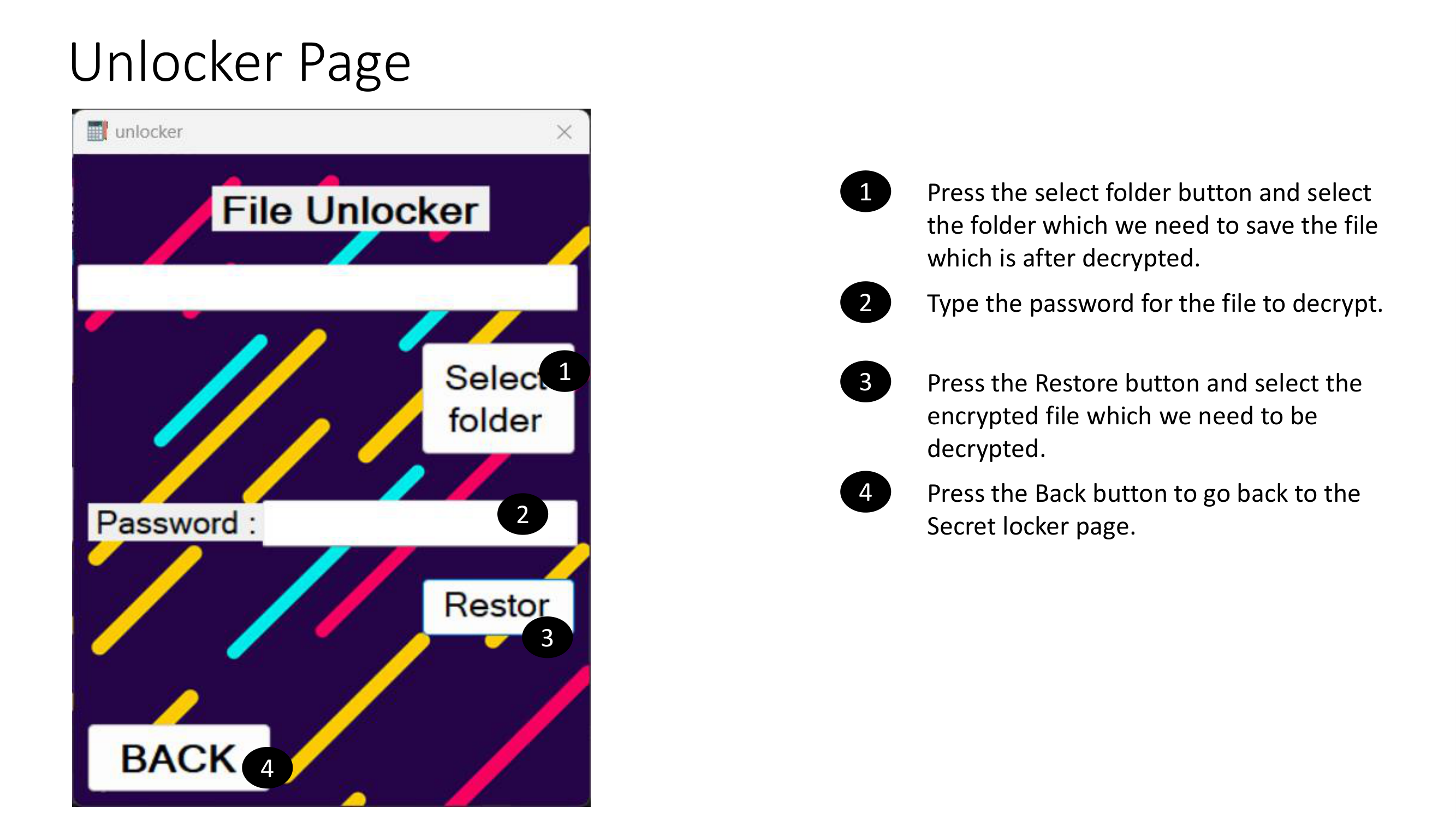
Decryption screen where you restore encrypted files using the correct password.
Verify Application Integrity (SHA256)
Verify your downloaded CalculatorLocker.zip to ensure it is safe and not modified.
How to Verify on Windows
1. Open PowerShell
2. Navigate to the downloaded EXE location
3. Run:
   Get-FileHash CalculatorLocker.zip -Algorithm SHA256
4. Ensure the hash matches the official value above.
If both hashes match, your file is authentic.